







Odd Culture
  • Home
  • About
  • Travel
  • Business
  • Auto
  • Fashion
  • Entertainment
  • Tech
  • Love
  • Wellness
  • Sport
  • Education
  • Home
  • Shopping
  • Contact

Odd Culture

  • Home
  • About
  • Travel
  • Business
  • Auto
  • Fashion
  • Entertainment
  • Tech
  • Love
  • Wellness
  • Sport
  • Education
  • Home
  • Shopping
  • Contact
Christmas Murder Mystery

Christmas Murder Mystery

Funny Good Morning Humour

Funny Good Morning Humour

What is Hamstering

What is Hamstering

Shane Gillis Net Worth

Shane Gillis Net Worth

Restaurant Themes

Restaurant Themes

Chamath Palihapitiya Net Worth

Chamath Palihapitiya Net Worth

Jett Puckett Net Worth

Jett Puckett Net Worth

Is Henry In The Bible

Is Henry In The Bible

airpods a2031

AirPods a2031

    Tech

    What Good NDIS Software Really Looks Like

    If you’ve ever seen someone working in disability support or health care, you know they’ve got a lot going on. It’s not just helping people get dressed or making sure meds are taken. There’s also stuff like planning shifts, writing notes, tracking goals, sending updates, and reporting everything. That’s on top of driving to different places and dealing with new things every day.

    Now imagine trying to do all that while using software that’s clunky, confusing, or doesn’t even load properly on your phone. That’s what some providers are stuck with. And it slows them down.

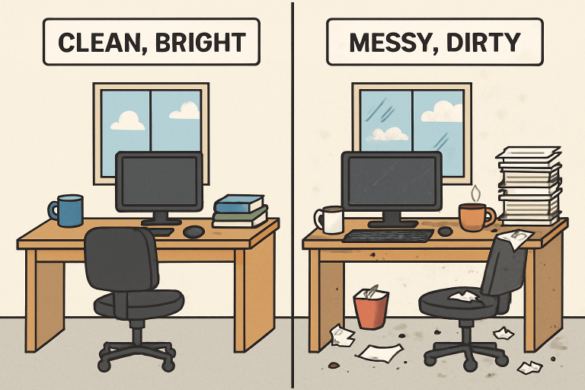
    The thing is, not all software is helpful—some just adds to the stress. But when it’s designed well, the right tool can make life way easier. Good NDIS software isn’t about having a million features. It’s about making everyday tasks simple, quick, and easy to handle.

    It Should Be Easy to Use—For Everyone

    The first sign of good software? You don’t need a tech expert to figure it out. You should be able to log in, see what you need, and get things done without reading a whole manual.

    Let’s say you’re on a shift. You should be able to check the schedule, open a client’s profile, write a quick note, and move on. It shouldn’t take five steps or three separate apps to do that. Everything should be in one place, and it should just work.

    That matters even more for teams where not everyone is super confident with tech. Whether it’s a young support worker or someone who’s been doing care for 20 years, the system should be simple enough for everyone to use without frustration.

    It Needs to Actually Fit the Job

    There’s a big difference between general software and tools built for NDIS providers. You can’t just grab any old calendar or note app and expect it to handle what care teams deal with every day.

    Good software is made for the actual work providers do. That means being able to track goals, log shifts, update support plans, and record progress—all without jumping through hoops.

    There are platforms out there made specifically for this. If you’re looking for something that covers all the basics but still feels smooth and straightforward, it’s worth checking out tools like ndis software for providers. They’re designed with real care teams in mind, so you’re not constantly fighting with the system to make it work for you.

    It Should Work on the Go

    Most care workers don’t sit at a desk all day. They’re on the move—visiting homes, running errands, helping with appointments. So if your software only works on a desktop or needs strong Wi-Fi to load, that’s a problem.

    The best NDIS software works just as well on a phone or tablet as it does on a computer. You should be able to log in, check what you need, and keep going. Fast. No waiting around for pages to load or digging through weird menus.

    Even better, some tools let you work offline and sync later. That way, if you’re in a spot with no signal, you can still write your notes and keep track of things without losing anything.

    It Keeps Everyone on the Same Page

    When you’re part of a care team, communication matters. Everyone needs to know what’s happening—especially when multiple people are supporting the same client.

    Good software makes it easy to leave updates, share notes, and make sure everyone is informed. You don’t have to send a million texts or try to remember who you told what. It’s all in the system.

    That’s a big deal for coordinators, too. They can check in on how clients are doing, update goals, and review reports without bothering every team member one by one. Everything’s clear and in the same spot.

    It Saves Time Without Cutting Corners

    Time is tight in care work. You’ve got to get through a lot in a short shift, and small things add up—like logging in and out, writing notes twice, or trying to track down a client’s last update.

    Good software cuts that extra stuff out. It remembers your login. It saves your draft notes. It auto-fills basic info so you don’t have to type everything over and over again.

    It also helps with billing and compliance, which saves admins and managers a ton of time. When all the data’s already there and organized, you’re not chasing down missing info at the end of the week.

    What It Doesn’t Need

    Some people think software has to be packed with fancy features to be good. But too much stuff can make things worse.

    If the app is loaded with tabs and buttons that most people don’t even use, it just gets confusing. You don’t want to spend time clicking around trying to find the one thing you actually need.

    So what doesn’t matter as much? Things like fancy dashboards, color-coded charts, or weird “smart” features that don’t actually help with real tasks. It’s better to keep things clean and simple than to get overwhelmed by extras.

    Here’s the Bottom Line

    The best NDIS software isn’t about being fancy. It’s about being useful. It should help providers do their jobs faster, easier, and with less stress.

    That means being simple to use, easy to access on the go, and actually built for care work—not just office work. When you’ve got the right tool, everything flows better. Notes get written. Shifts run smoother. People feel more in control of their day.

    And that’s what really makes a difference—not just for the provider, but for the people they support.

    What Good NDIS Software Really Looks Like was last modified: July 22nd, 2025 by Chris Valentine
  • Travel

    Family Fun on a Dolphin Cruise Hilton Head Island

    Family cruises are a delightful way to create lasting memories, and a dolphin cruise on Hilton Head Island offers a unique opportunity to connect with nature. Imagine the joy on…

  • Shopping

    Essential Tips for Maintaining Your EDC Mechanical Pencil

    An EDC mechanical pencil, or Everyday Carry mechanical pencil, has become a must-have tool for many individuals, offering a perfect blend of convenience and creativity. Whether you’re taking notes in…

  • BusinessTech

    MNN Portable Monitor No Signal

    A “No Signal” message on your MNN Portable Monitor can really frustrate you, particularly if you’re trying to work with multiple screens. Portable monitors have become vital tools that professionals,…

  • Auto

    Car and Windshield Inspection

    Many states require vehicle inspections when you buy a used vehicle. This includes inspections of the windshield and other key parts of the vehicle. This is to help ensure that…

Older Posts
Newer Posts

Latest Posts

  • chronic dry lips

    Best Lip Hydration Treatment: How to Solve Chronic Dry Lips with Evidence-Backed Solutions

    May 14, 2026
  • How to Handle Repeated Dealership Repairs That Fail to Fix the Problem

    May 13, 2026
  • Maximizing Academic Potential Through a Personalized Homeschool Framework

    May 13, 2026
  • How Spa Retreats Are Gaining Popularity Among Travelers

    May 13, 2026
  • long trip

    How To Prepare For Long Trips Without Feeling Overwhelmed

    May 13, 2026

Popular Posts

  • 1

    A Hippie Named Marcy – 1967 – A Child Again

    November 18, 2012
  • 2

    5 of the Best European Golf Holiday Destinations

    November 10, 2015
  • 3

    How to dress up as an Asian man

    September 26, 2019
  • 4

    Revolutionary Anti-Aging Alternatives

    April 30, 2020
  • 5

    Good as New: 4 Tips for Buying Refurbished Electronics

    February 7, 2019

Find Us On Facebook

Facebook

Tags

auto bizarre business cannabis car Company design education entertainment family fashion finance finances Funny Videos gambling games gaming health home home improvement house insurance Law lawyer legal life love marketing money Music Odd Deaths Odd News online safety shopping sports style tech technology tips trainwrecks travel Trip Vehicle wellness

Pages

  • Home
  • About
  • Contact

Keep in touch

Facebook Twitter Instagram RSS
Copyright © 2013 Odd Culture. All Rights Reserved.